Design & Video

Crayo Review
Pricing, features, pros and cons of the AI short-form video editor
- Published:
- Category:
- Design & Video
Disclosure: GeekyBuzz may earn a commission from some links on this site, at no extra cost to you. It does not change what we write.
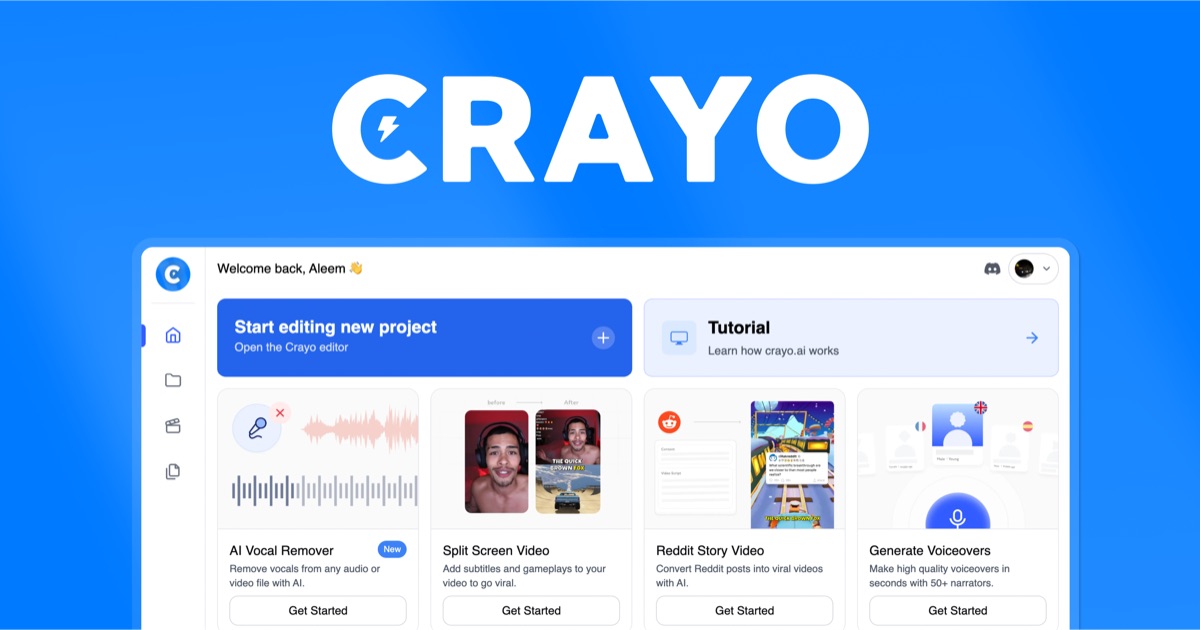
Crayo is an AI video editor for short-form content. It clips long videos into shorts, adds viral-style captions, and generates Reddit story, fake text and voiceover videos in seconds. This review covers what it does, what each plan costs, and who it suits.
What is Crayo?
Crayo is built for clippers, faceless channel owners and creators who post on TikTok, YouTube Shorts and Instagram Reels. You upload a file or paste a YouTube or TikTok link, pick one of 15+ subtitle styles, and Crayo generates a finished vertical video. It says it has more than 3.5 million users.
Beyond clipping, Crayo bundles a long list of AI tools in one subscription: voiceovers, AI images, a voice changer, face swap, a subtitle remover, a background remover and a YouTube and TikTok downloader. There is also an iPhone app that shares projects with the web editor.
Key features
- AutoClip: upload a long video or paste a link and Crayo finds and cuts the best moments into shorts.
- Story and text videos: generate Reddit story videos and fake text message videos, popular formats for faceless channels.
- Viral captions: 15+ subtitle styles designed for short-form, applied automatically.
- AI voiceovers and images: text-to-speech voiceovers and an AI image generator included on every plan.
- Editing tools: voice changer, face swap, speech enhancer, subtitle remover, background remover, cut and crop.
- View Tracker: track views across accounts and posts, useful for clippers paid per view.
- Web and iPhone: a web-based editor plus an iOS app with the same account and projects.
Crayo pricing
Every Crayo plan includes all of its tools. Plans differ by how much you can create each month. You can pay monthly, quarterly or yearly, and longer terms lower the price. Prices below are from Crayo's pricing page when we checked.
| Plan | Monthly | Quarterly (per month) | Yearly (per month) | Workflow credits |
|---|---|---|---|---|
| Hobby | $29 | $19 | $16.58 | 250 / month |
| Clipper | $59 | $39 | $33.25 | 1,000 / month |
| Pro | $129 | $79 | $66.58 | 3,000 / month |
What each plan includes
- Hobby: 2 hours of export, 30 voiceover minutes, 100 AI images, 25 GB storage and 100 View Tracker credits a month.
- Clipper: 10 hours of export, 120 voiceover minutes, 300 AI images, 100 GB storage and 500 View Tracker credits. Crayo's most popular plan.
- Pro: 30 hours of export, 180 voiceover minutes, 500 AI images, 500 GB storage and 2,500 View Tracker credits.
One workflow credit is one AI-generated video. Credits refill monthly and do not roll over. Crayo does not offer refunds, but you can cancel anytime and keep access until the end of the billing cycle.
Pros and cons
Pros
- Fast way to turn long videos into ready-to-post shorts.
- Every tool is included on every plan, with no feature gating.
- Story, fake text and voiceover formats make faceless content easy.
- You own the rights to videos you create and can monetize them.
- Big discounts on quarterly and yearly billing.
Cons
- No free plan listed on the pricing page.
- No refunds, so commit only after you are sure.
- Unused credits do not roll over.
- Built for short-form; not a replacement for a full long-form editor.
Who is Crayo for?
- Good fit: clippers who cut streams, podcasts and creator videos into shorts at volume.
- Good fit: faceless channel owners making Reddit story, fake text and voiceover videos.
- Good fit: creators who want captions, voiceovers and AI images in one subscription.
- Weaker fit: editors making long-form YouTube videos or polished brand films.
Verdict
Crayo is one of the most complete tools for short-form video. AutoClip, viral captions and story video generators cover most of what clippers and faceless channels need, and every plan includes every tool. Hobby is enough to test a new channel; Clipper is the better value once you post daily. Pick quarterly or yearly billing to save, but remember there are no refunds.
Still deciding?
Browse the rest of our reviews, or put two tools side by side.