Design & Video

Templated.io review
Pricing, features, pros and cons of the image, PDF and video API
- Published:
- Category:
- Design & Video
Disclosure: this page contains an affiliate link. If you sign up to Templated.io through it, GeekyBuzz may earn a commission at no extra cost to you. It does not change what we write.
Making one graphic by hand is easy. Making hundreds of versions with different headlines, product photos or prices is slow work. Templated.io is built for that second job: you design a template once, then generate images, PDFs and videos from it by sending data through an API, a spreadsheet or a no-code tool. This review covers what it does, what the plans cost, and who should use it.
What is Templated.io?
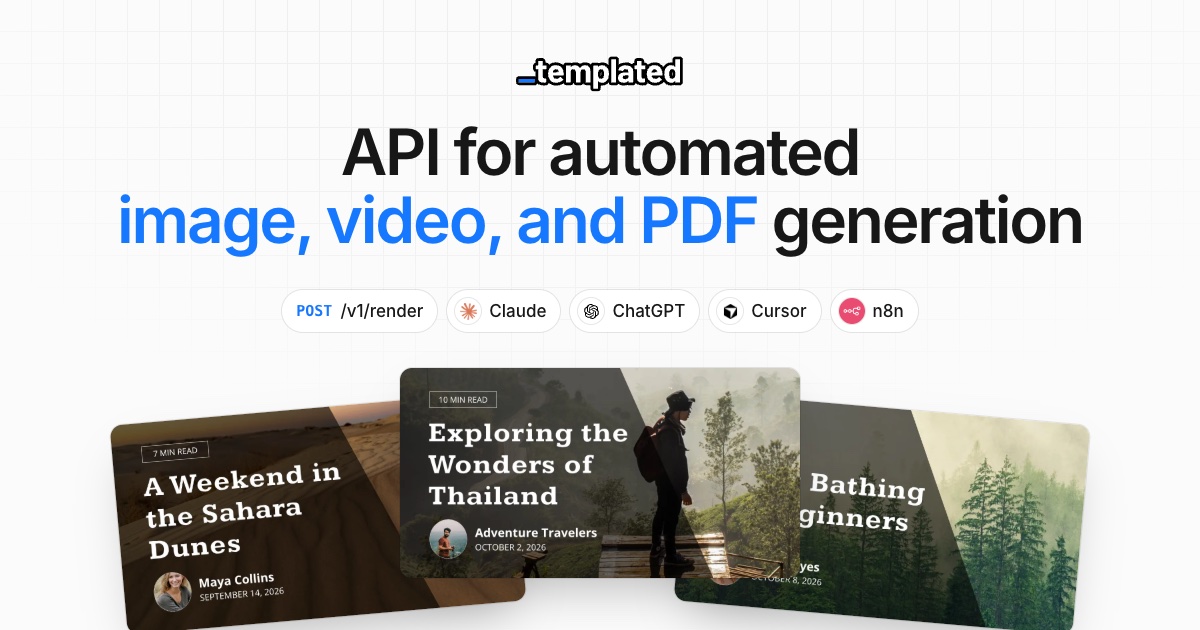
Templated.io is an automation tool for marketing images, social posts, ad creatives, banners, certificates, invoices and PDFs. You build a template in its drag-and-drop editor (or import a design from Canva), mark the parts that change, and then render new versions by calling the REST API. The company says renders take about two seconds. It also offers a connector for AI agents such as Claude, ChatGPT and Cursor, so an assistant can create templates and render files for you.
How it works
- Design a template. Use the editor, import from Canva, or ask the AI template generator to build one from a prompt.
- Send your data. Pass text and image URLs through the API, a CSV or Google Sheet, Zapier, Make, n8n, or an AI agent.
- Render every variation. Get JPG, PNG, WebP, PDF or MP4 files back in seconds.
Key features
- Image, PDF and video generation from the same template system, including multi-page PDFs and MP4 videos.
- REST API with client libraries, plus webhooks that tell you when a render finishes.
- No-code integrations with Zapier, Make, n8n, Airtable and spreadsheets for bulk jobs.
- AI template generator and MCP support so AI assistants can build and render for you.
- Embedded editor that you can white-label inside your own app (Scale plan and above).
- Custom and Google Fonts, folders and tags to keep templates organised.
Templated.io pricing
Templated.io runs on render credits. One image costs 1 credit, a PDF costs 1 credit per page, and video depends on resolution, frame rate and length (a 10-second 1080p video at 30fps is about 13 credits). New accounts get 50 free credits with no credit card. The prices below are per month when billed annually, as shown on the pricing page when we checked. The page says annual billing saves up to 20%, so monthly billing costs more.
| Plan | Price per month (billed yearly) | Render credits | Templates | Team members | Rate limit |
|---|---|---|---|---|---|
| Starter | $29 | 1,000 | Up to 15 | 2 | 60 per minute |
| Scale | $79 | 5,000 | Up to 100 | 5 | 150 per minute |
| Enterprise | $179 | 25,000 | Unlimited | 20 | 300 per minute |
Every plan includes images, PDFs and video, the REST API, no-code integrations, MCP, webhooks and the AI template generator. Scale adds priority support, the embedded editor and the option to deliver renders to your own S3 or R2 bucket. Enterprise adds dedicated support and custom features.
Pros and cons
Pros
- One template system covers images, PDFs and video.
- Works with an API, spreadsheets, no-code tools and AI agents, so you can pick your route.
- You can import existing Canva designs instead of starting over.
- 50 free credits with no card let you test a real workflow.
- The embedded editor lets software teams offer design inside their own product.
Cons
- Credits are a limit to plan around, and video renders use many more than images.
- The Starter plan allows only 15 templates and 2 team members.
- It is aimed at repeatable, data-driven design, so it is not a replacement for a full design app.
- Getting the most out of it needs some comfort with APIs or no-code tools.
- The best prices need annual billing.
Who is Templated.io for?
- Good fit: marketers and e-commerce teams that need many variations of the same ad, banner or product image.
- Good fit: developers and SaaS teams that want to generate certificates, invoices, reports or social cards from their own data.
- Good fit: agencies running automations in Make, Zapier or n8n.
- Weaker fit: anyone who makes a few one-off graphics a month and is happy in a normal design tool.
How to get started
Sign up for the free credits, build or import one template, and run a small batch from a Google Sheet before touching the API. Count how many credits one finished item uses, then work out which plan covers your monthly volume. If you plan to generate video, test that early because it uses the most credits.
Frequently asked questions
Is Templated.io free?
You get 50 free credits with no credit card. Ongoing use needs a paid plan, which starts at $29 per month billed annually.
What file types can it create?
JPG, PNG, WebP, PDF and MP4.
Can I import designs from Canva?
Yes. The pricing page lists importing existing designs from Canva on every plan.
Does it work without coding?
Yes. You can use spreadsheets, Zapier, Make, n8n or Airtable. The API is there if you want more control.
Can AI assistants use it?
Yes. It has an MCP integration for Claude, ChatGPT, Cursor and others, and an AI template generator.
Final verdict
Templated.io is a practical choice if your design work repeats and the only things that change are text and images. The credit model is easy to understand, the template system covers images, PDFs and video, and the integrations suit both developers and no-code users. It is not for casual one-off design, and heavy video use will eat credits. Try the free credits on a real batch before you pick a plan.
Still deciding?
Browse the rest of our reviews, or put two tools side by side.