Design & Video

AutoAE Review
Pricing, features, pros and cons of the AI motion graphics agent
- Published:
- Category:
- Design & Video
Disclosure: GeekyBuzz may earn a commission from some links on this site, at no extra cost to you. It does not change what we write.
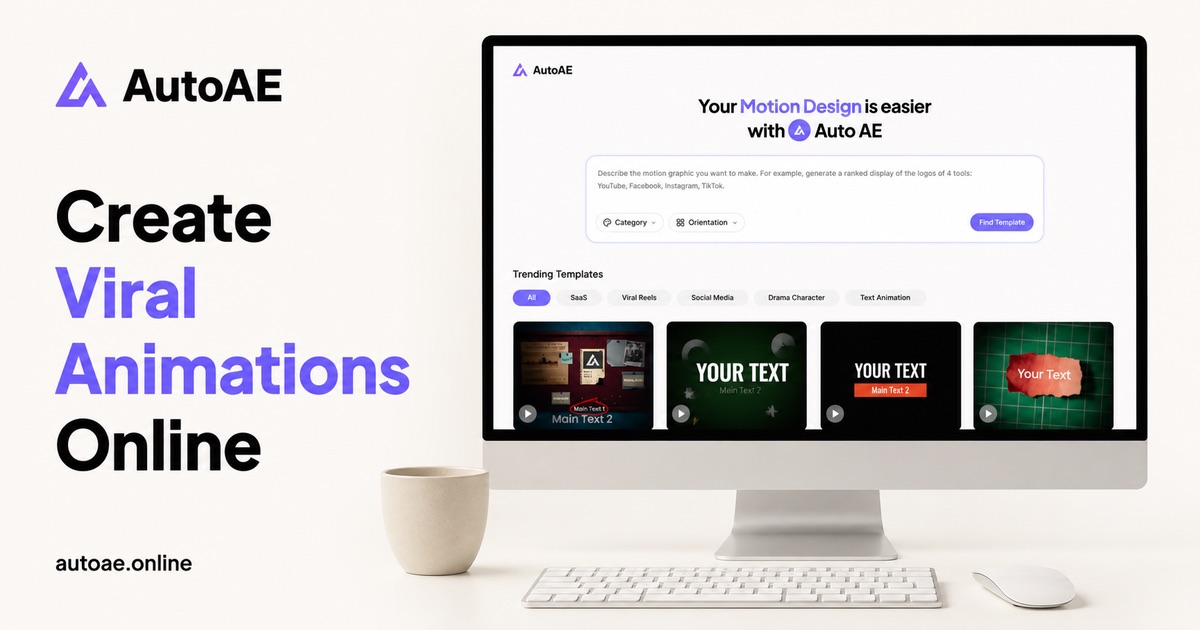
AutoAE is an AI motion graphics tool that runs in your browser. You describe the clip you want, it picks a designer-made template, fills in your text and media, and renders an MP4. This review covers what it does, what each plan costs, and who it suits.
What is AutoAE?
AutoAE calls itself an AI motion graphics agent. It is built for creators, marketers and agencies who need animated text, hooks, launch sequences and explainer beats without learning After Effects. You type a request, AutoAE matches one of its motion templates, prefills the copy, and you adjust the text, colours and media against a live preview. There is no timeline and no keyframes.
It is important to know what AutoAE is not. It is not an AI video generator that invents footage, and it is not a full video editor. It animates templates that a designer built, so results stay clean and on brand, and you drop the finished clip into your own edit in CapCut, Premiere, DaVinci Resolve or similar.
Key features
- Prompt to motion graphics: describe what you want in chat and AutoAE picks a template and fills in your words, logo and footage.
- Large template library: text animations, video flowcharts, engagement mockups, Google search reveals, 3D transformations, SaaS launch sequences and viral reel templates.
- New templates every week: fresh animations from contributing motion designers are added regularly, following current social trends.
- Browser-based editing: change copy, colours and media against a live preview, with no software to install.
- Cloud rendering: videos render on AutoAE's servers, so a slow computer does not slow down exports.
- Agent Skill: create motion graphic clips from your own AI agent, included on every plan.
- Brand Kit: store logos, fonts and assets on Creator plans and above (5 GB to unlimited).
- Commercial licence: every paid option includes 1080p, no watermark and commercial-use rights.
AutoAE pricing
AutoAE runs on Credit. One finished download costs 100 Credit. Subscriptions refill Credit every month, and you can also buy a one-off credit pack that never expires. Annual billing gives you two months free. Prices below are from AutoAE's pricing page when we checked.
| Plan | Monthly | Billed yearly (per month) | Credit | Downloads |
|---|---|---|---|---|
| Free | $0 | $0 | 500 one-time | 5 total |
| Starter | $12 | $10 | 5,000 / month | 50 / month |
| Creator | $39 | $32.50 | 20,000 / month | 200 / month |
| Agency | $99 | $82.50 | 60,000 / month | 600 / month |
| Scale | $299 | $249.17 | 225,000 / month | 2,250 / month |
| Enterprise | Custom | Custom | Custom | Custom |
| Credit pack (one-time) | $2.90 | No subscription | 100 permanent | 1 |
What each plan includes
- Free: 720p downloads, free templates only, AutoAE watermark, and personal, non-commercial use only.
- Starter: 1080p, all templates, no watermark and a commercial licence. Good for side projects and occasional paid work.
- Creator: everything in Starter plus a 5 GB Brand Kit and support within 72 hours.
- Agency: a 20 GB Brand Kit, a priority render lane and support within 24 hours.
- Scale: a 100 GB Brand Kit, priority lane and dedicated servers for high-volume teams.
- Enterprise: custom templates, API access, unlimited Brand Kit storage and up to 4K output.
Subscription payments are non-refundable once a billing period starts, and credit packs are non-refundable once any Credit is used, so start with the free plan before you pay.
Pros and cons
Pros
- Professional motion graphics without After Effects, timelines or keyframes.
- Templates are made by real motion designers, so results look polished, not generic.
- Runs in the browser with cloud rendering, so it works on any computer.
- Low entry price: $10 a month on yearly billing, or $2.90 for a single clip.
- Commercial licence on every paid option, including the one-time credit pack.
Cons
- It is not a full editor; you still need another app to assemble the final video.
- You work inside templates, so fully custom animation is limited.
- Free plan is 720p, watermarked and non-commercial, even for invite Credit.
- Paid output tops out at 1080p unless you are on Enterprise.
- Strict refund policy on subscriptions and used Credit.
Who is AutoAE for?
- Good fit: YouTubers and short-form creators who want scroll-stopping hooks, text animations and highlight beats.
- Good fit: SaaS founders and indie makers who need a launch or product demo video quickly.
- Good fit: agencies and freelancers producing branded clips for clients at volume.
- Good fit: course creators who want animated explainers and flowcharts.
- Weaker fit: motion designers who need full keyframe control, or anyone looking for an all-in-one video editor.
Verdict
AutoAE is one of the easiest ways to add studio-style motion graphics to your videos. It does one job well: turning a prompt into a polished, editable animated clip from a designer-made template, rendered in the cloud. It will not edit your whole video, but as a source of hooks, text animations and launch sequences it saves hours over After Effects. Starter is the sensible starting point for most creators; move to Creator if you publish often and want a Brand Kit. Try the free plan first to see if the templates fit your style.
Still deciding?
Browse the rest of our reviews, or put two tools side by side.