Design & Video

Faceless.video review
Pricing, features, pros and cons of the AI faceless video tool
- Published:
- Category:
- Design & Video
Disclosure: this page contains an affiliate link. If you sign up to Faceless.video through it, GeekyBuzz may earn a commission at no extra cost to you. It does not change what we write.
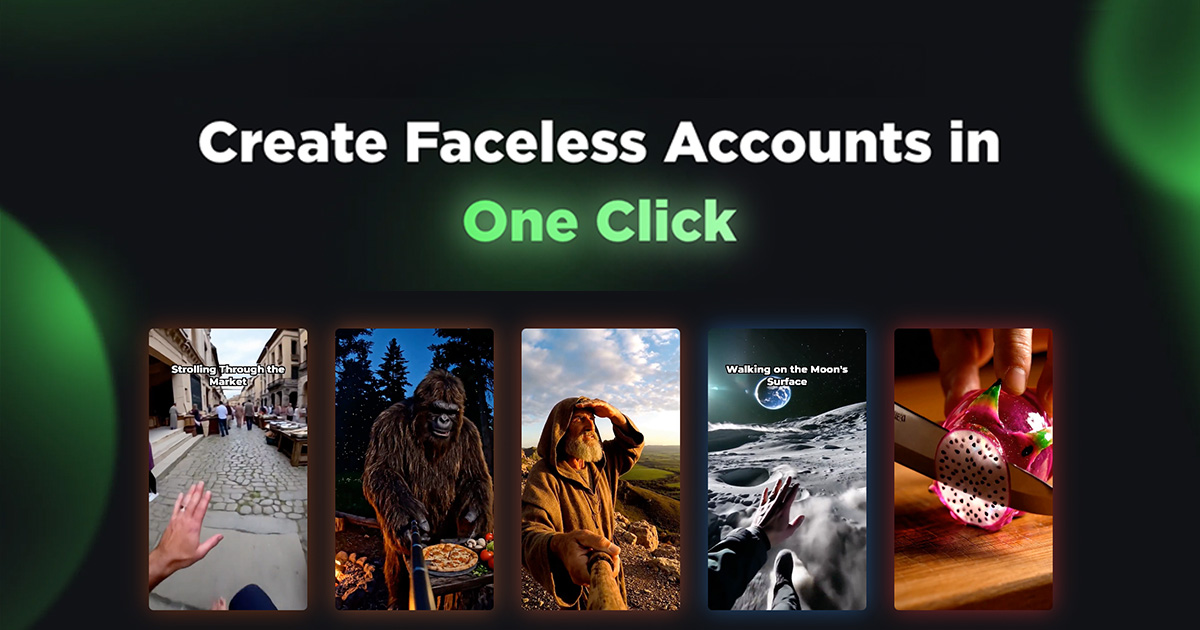
Faceless.video is built for one job: running a short-form channel on TikTok, Instagram and YouTube without ever appearing on camera or opening a video editor. You pick a niche, the AI drafts videos for you, and the tool can post them on a schedule. This review goes through what that looks like in practice, what each plan really costs per video, and who should and should not pay for it.
What is Faceless.video?
Faceless.video is an AI video tool for creators who want a "faceless" account: a channel built on stories, facts, gaming clips or themed content instead of a person talking to a camera. The company says it is used by more than 2.8 million creators, which is a claim from its own homepage, so read it as marketing rather than an audited number.
The idea is that you do not start from a blank timeline. You start from a niche or format that already works, and the AI agents produce a draft. Examples shown on the site include fantasy, ancient Rome, Minecraft, creepy stories, historical figures, cyberpunk and GTA-style videos.
How it works
- Choose a niche. You start with a proven format, not an empty project.
- Create and refine. The AI generates a draft. You can change the text, the background and the font to match your style.
- Stay consistent. Set a schedule so new drafts are generated automatically. You can edit each one before its posting time, or let it go out as it is.
Each subscription runs as a "Series". A Series posts to one connected account, and you can change its privacy settings and how often it posts. If you do not want auto-posting, you can choose email delivery instead and the finished videos are sent to your inbox so you can upload them yourself.
Key features
- Auto-posting to TikTok, Instagram and YouTube from one dashboard.
- Drafts you can edit before they go live, including text, background and font. You can also generate videos ahead of time and re-render them.
- Scheduling by frequency. You set how often a Series posts, but not the exact time of day.
- Email-only delivery if you prefer to download and upload manually.
- Developer API and an MCP page for people who want to connect it to their own workflow.
Faceless.video pricing
Faceless.video uses a credit system. Prices below are the monthly plans listed on its pricing page when we checked. The site also shows an annual toggle that mentions a 30% saving, but it does not list the annual prices in the page text, so check the live page before you decide.
| Plan | Price per month | Credits per month | Videos per month | Social accounts |
|---|---|---|---|---|
| Starter | $20 | 30 | Up to 15 | 1 |
| Daily | $35 | 60 | Up to 30 | Unlimited |
| Double | $59 | 120 | Up to 60 | Unlimited |
| Studio | $149 | 350 | Up to 175 | Unlimited, plus dedicated support |
All plans include every video type, and unused credits roll over instead of disappearing. If you run out, subscribers can buy top-up packs: 10 credits for $8, 50 for $35, or 200 for $120.
What a video really costs
Dividing the monthly price by the maximum number of videos gives a best-case cost per video: about $1.33 on Starter, $1.17 on Daily, $0.98 on Double and $0.85 on Studio. Those are the lowest possible figures, because the "up to" limits assume each video uses the minimum credits. Even so, it is far below the $150 to $300 per video that the company says a freelance editor charges. That comparison is theirs, and it only holds if the AI output is good enough for your channel.
Pros and cons
Pros
- You can run a channel without recording yourself or learning an editor.
- Posting is built in, so there is no separate scheduling tool.
- Drafts stay editable, so you are not locked into whatever the AI produced.
- Unused credits roll over, which is kind to anyone who skips a month.
- The per-video cost on the higher plans is low compared with outsourcing.
Cons
- The Starter plan connects only one account, so it is limited if you want to test several niches.
- You cannot choose exact posting times, only how often it posts.
- Each Series posts to a single account, so multi-account setups need more than one Series.
- The homepage does not state supported languages, voice options or export resolution, so confirm what you need before paying.
- Faceless content is crowded. Platforms can also change how they treat automated or repetitive posting, so results are never guaranteed.
Do the results claims hold up?
The site shares creator case studies, such as one account reaching 50,000 views in four days and others reaching 100,000 to 500,000 views in roughly 23 to 25 days. The same page says results vary across all users, and that is the line to take seriously. Views depend on your niche, your hook, your posting consistency and a fair amount of luck. Treat the tool as a way to publish more often at low cost, not as a guarantee of reach.
Who is Faceless.video for?
- Good fit: solo creators, side-hustlers and small brands who want a steady stream of short videos and do not want to be on camera.
- Good fit: people testing a niche who would rather spend $20 than hire an editor.
- Weaker fit: anyone who needs a tightly branded, fully custom video with precise control over every frame.
- Weaker fit: teams that need exact post times or a lot of control over audio and voice.
How to get started
The site offers a free trial button on the homepage, but it does not publish the trial limits, so look at what is included on the sign-up screen before you add a card. A sensible way to begin is to take the Starter plan for a month, run one Series in one niche, review every draft before it posts, and see whether your numbers justify moving up to Daily.
Frequently asked questions
Is Faceless.video free?
There is a free trial button on the homepage, but the plans on the pricing page are paid and start at $20 per month. The trial terms are not listed in the page text we reviewed.
Which platforms does it post to?
TikTok, Instagram and YouTube. Each Series auto-posts to one connected account.
Can I edit videos before they post?
Yes. You can edit upcoming videos from the dashboard before their posting time, including the text, background and font.
Do unused credits expire?
No. The pricing page says unused credits roll over and stay in your balance.
Do I have to connect my social accounts?
No. You can choose email-only delivery, download the videos and post them yourself.
Final verdict
Faceless.video is a practical choice if your goal is to publish short videos regularly without showing your face or learning editing software. The credit pricing is clear, the drafts are editable, and the built-in posting saves a step. The trade-offs are limited control over posting times, a one-account Starter plan, and the fact that the quality and reach of faceless content depend on your niche more than on the tool. Start small, judge it on your own numbers, and scale up only if the videos earn it.
Still deciding?
Browse the rest of our reviews, or put two tools side by side.