Marketing & SEO

WiserNotify Review
Visitor caps, a yearly-only Basic plan, and a homepage that disagrees with the pricing card
- Published:
- Category:
- Marketing & SEO
Disclosure: GeekyBuzz may earn a commission if you sign up through links on this page. It doesn't change our verdict.
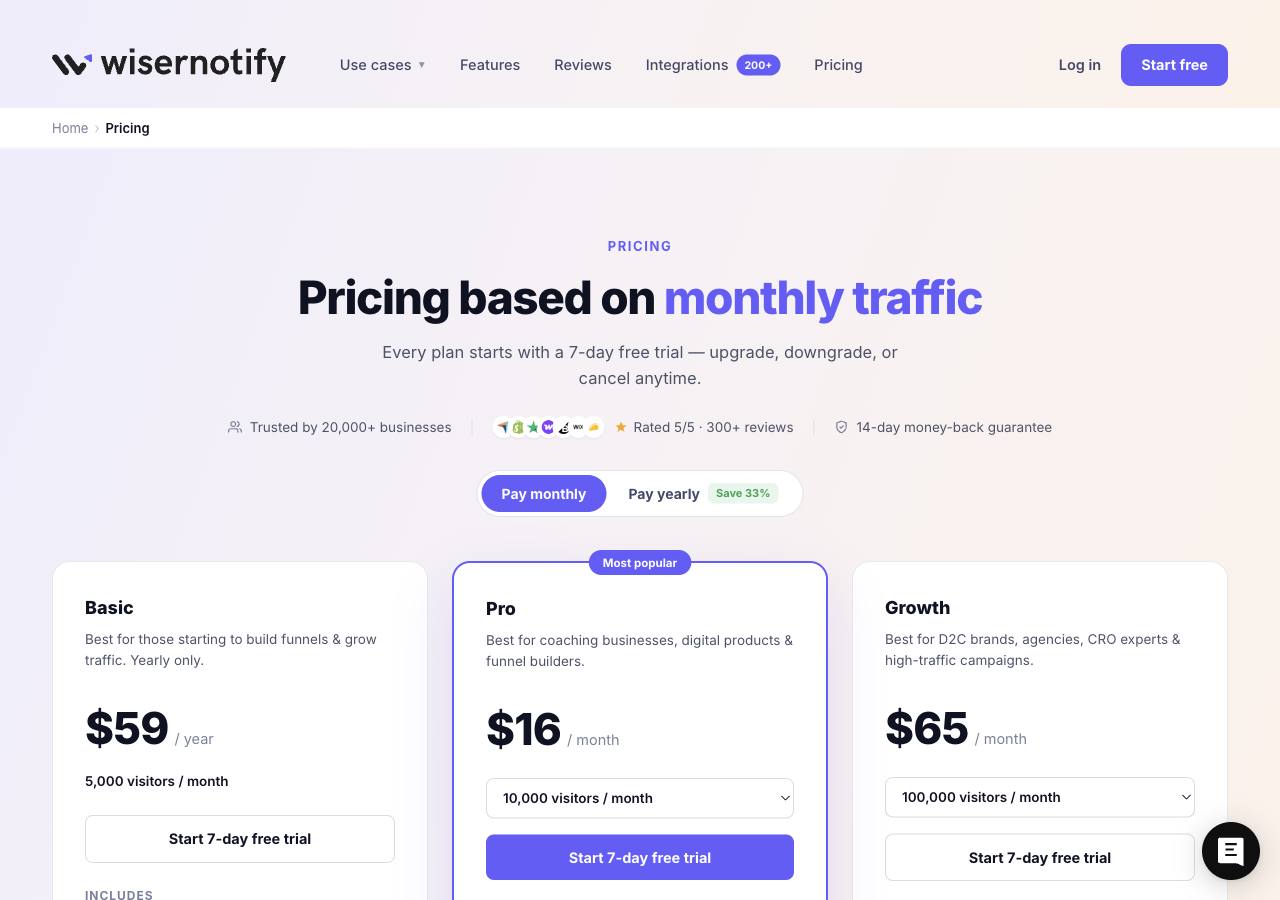
Short answer: WiserNotify is a good pick for a shop that wants sales, review, and visitor popups and can stay inside a monthly visitor cap. It is a poor pick if you need a free plan, or inline proof on the cheap plan. Basic is $59 a year for 5,000 visitors and is not sold monthly. Pro starts at $16 a month for 10,000 visitors. Growth starts at $65 a month for 100,000.
Too long; didn't read
- Best for: stores and course sites that want real order, sign-up, and review popups on more than one domain.
- Skip it if: you want a free plan, or you need the proof written inside the page rather than in a corner popup.
- Price: $59 a year on Basic. Pro is $16, $26, or $40 a month. Growth is $65 to $275 a month. Checked November 4, 2026.
- Biggest plus: the bill follows visitors, not how many popups you publish, and one plan covers multiple sites.
- Biggest minuses: notifications stop when the visitor cap is hit, and the homepage and the pricing page disagree about inline proof.
How this review was made
We read wisernotify.com and the pricing page on November 4, 2026, with Pay monthly selected, and did not install the script. Yearly totals are the figures stored on that same pricing page. How we review.
WiserNotify at a glance
| Plan | Visitors a month | Monthly | Yearly bill | What you add |
|---|---|---|---|---|
| Basic | 5,000 | Not sold monthly | $59 | Limited templates, every widget type, multiple sites, live chat |
| Pro | 10,000 / 30,000 / 50,000 | $16 / $26 / $40 | $128 / $208 / $320 | Premium templates, branding control, A/B tests, custom CSS, 1 teammate |
| Growth | 100,000 up to 1,000,000 | $65 / $85 / $150 / $225 / $275 | $520 / $680 / $1,200 / $1,800 / $2,200 | Inline proof, an account manager, custom design help, 10 teammates |
Source: wisernotify.com/pricing, November 4, 2026. The yearly column is the amount charged for the year, not a monthly equivalent. The page labels yearly billing "Save 33%."
What WiserNotify puts on a page
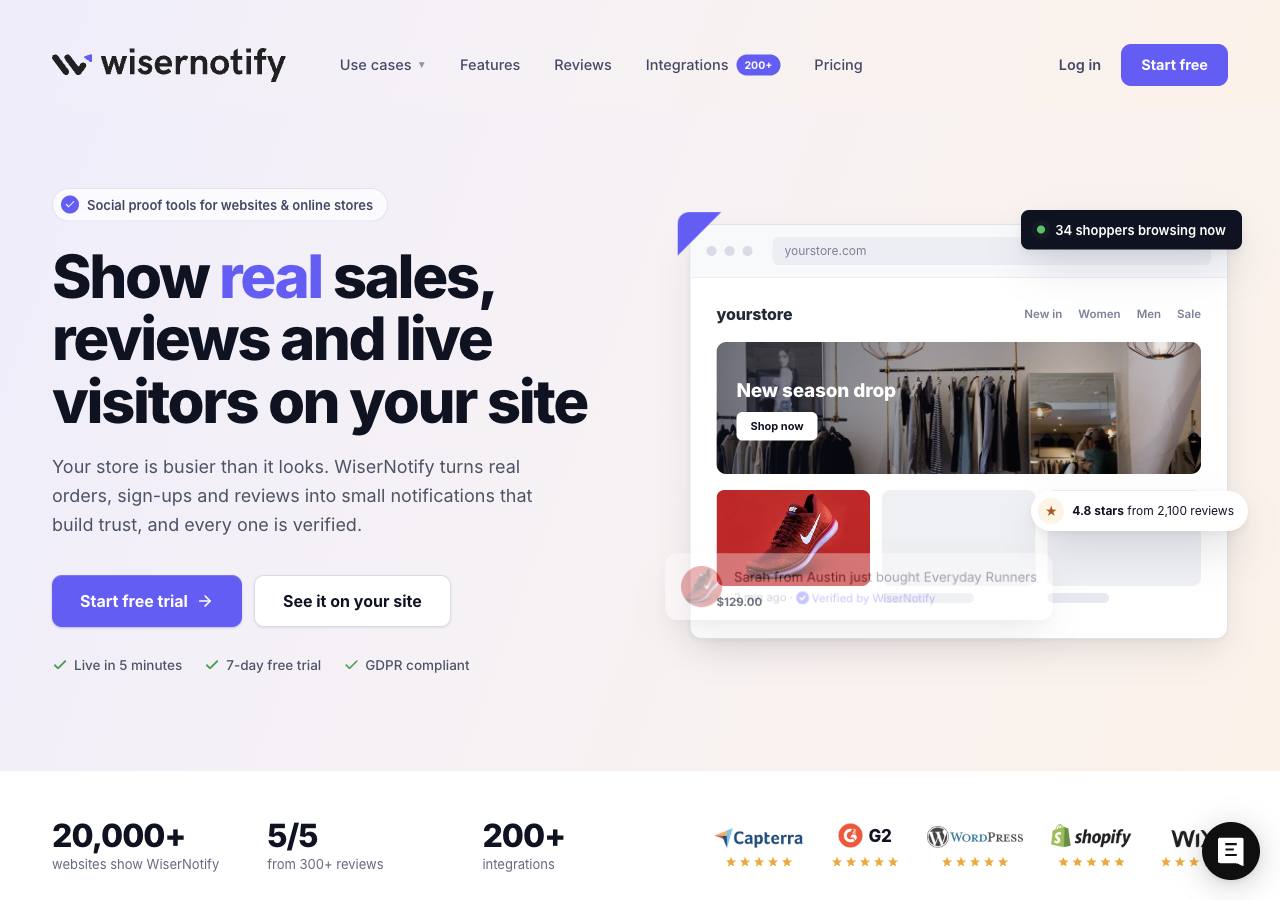
WiserNotify is a social proof widget. It takes events from a store, a form, or a review source and shows them as small notices: a recent purchase, a sign-up, a review, a live visitor count, a countdown. The homepage says each notice comes from a connected event and carries a verified badge. You choose how a name appears: a first name, a shortened name, initials, or "Someone from Austin."
Setup, in their words, is one script, or the app on Shopify, WordPress, Wix, or BigCommerce, then a connection to the data, then a template. They say most sites are live in about five minutes, and they offer a free 30-minute onboarding call. We did not run that call or place the script.
Two display styles are advertised. Floating popups slide over the page. Inline messages sit inside the layout. The homepage says every plan includes both. The pricing card does not. "Inline social proof messaging" is listed only on Growth. If the proof you want is written into the product page, budget for Growth, not Pro, until they make those two pages match.
If the job is scheduling posts rather than showing popups, that is a different tool. We reviewed ContentStudio for that. More marketing write-ups are in marketing reviews.
How much does WiserNotify cost?
There is no free plan. Their homepage FAQ says so. Every paid plan starts with a 7-day trial of the plan you pick, and they advertise a 14-day money-back guarantee. Cancel and the plan stays on until the period you already paid for ends. After that, the notices stop.
The price is a visitor cap, not a popup cap. A unique visitor is one person, counted once per 24 hours, no matter how many pages they open. Notifications and impressions are unlimited inside that cap. At 70% and 90% of the cap they say you get alerts. At 100%, notifications stop until the counter resets or you move up a tier.
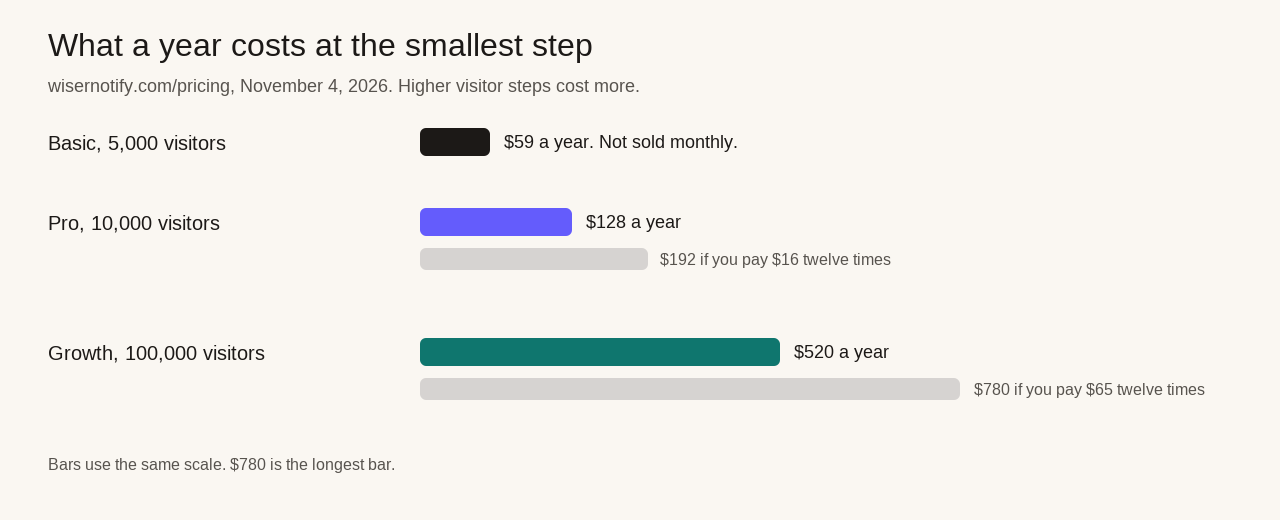
A site with about 10,000 visitors is the Pro case. That is $16 this month, or $128 if you pay for the year. Twelve months at $16 would be $192, so the yearly bill is $64 less, about $10.67 a month. Basic cannot cover 10,000 visitors. It also cannot cover 8,000. Basic stops at 5,000, and it is yearly only, $59, which is about $4.92 a month.
A store at 100,000 visitors is the first Growth step: $65 a month, or $520 for the year. Twelve months at $65 would be $780. The steps keep climbing. At a million visitors, Growth is $275 a month or $2,200 for the year.
Pro adds the things a brand usually asks for next: all templates, A/B tests, custom CSS, and one teammate. Branding control is the messy line. The pricing tooltip says you can change, hide, or customize the "Verified by WiserNotify" badge. The FAQ answer is stronger: it lets you remove WiserNotify branding. Hide and remove are not the same promise. Read the badge on a live preview before you assume Pro makes the widget look like your own product. Growth is where they add the account manager, custom design help, and 10 teammates. All three plans say they work on more than one website.
Pros and cons
Pros
- One visitor cap covers unlimited notices, and the same plan can run on more than one site.
- Yearly billing is a real discount: $128 instead of $192 at the 10,000-visitor Pro step.
- The 14-day money-back line is in the FAQ, not only in a badge.
- You can shorten or hide a customer's name, and they offer a data processing agreement.
Cons
- Hit the visitor cap and the notices stop. There is no overage fee to keep them running.
- Basic is yearly only, and anything over 5,000 visitors jumps to at least $16 a month.
- The homepage says inline proof is on every plan. The pricing card puts it on Growth.
- Pro's badge control is described two ways: hide it, or remove the branding.
Who should use it, and who should skip it
Use it if you sell on Shopify, WooCommerce, or a similar stack, you have a real order or sign-up feed, and you know your monthly visitors. A course or coaching site around 10,000 visitors is the plan they mark most popular.
Skip it if you wanted a permanent free widget. Skip it if the proof has to sit inside the page and Growth's price is too high. Skip it if your traffic spikes past the cap in a launch week, because the notices go dark at 100% rather than billing you for the extra visitors.
Is WiserNotify worth it?
For a store that already has orders and stays near 10,000 visitors, $16 a month or $128 a year is a clear price for a verified popup. It is a bad buy if you are counting on the homepage sentence that every plan includes inline proof. Start the 7-day trial on the visitor step you actually need, and check whether the badge can be hidden the way you want before the 14 refund days run out.
FAQ
Is WiserNotify free?
No. The homepage FAQ says there is no free plan. The cheapest paid option we saw was Basic at $59 a year for 5,000 visitors. Every plan includes a 7-day trial.
What happens if I go over my visitors?
They say alerts go out at 70% and 90%. At 100%, notifications stop until the month resets or you upgrade. A unique visitor counts once per 24 hours.
Can I take the WiserNotify logo off?
Branding control is on Pro and Growth. The tooltip says you can change, hide, or customize the verified badge. The FAQ says you can remove the branding. Those are different claims.
Do they refund?
Their FAQ says yes, within 14 days of purchase. Cancel later and the plan keeps running until the end of the period you paid for.
Prices checked November 4, 2026.
Still deciding?
Browse the rest of our reviews, or put two tools side by side.