Marketing & SEO

ContentStudio review
Pricing, features, pros and cons of the AI social media tool
- Published:
- Category:
- Marketing & SEO
Disclosure: this page contains an affiliate link. If you sign up to ContentStudio through it, GeekyBuzz may earn a commission at no extra cost to you. It does not change what we write.
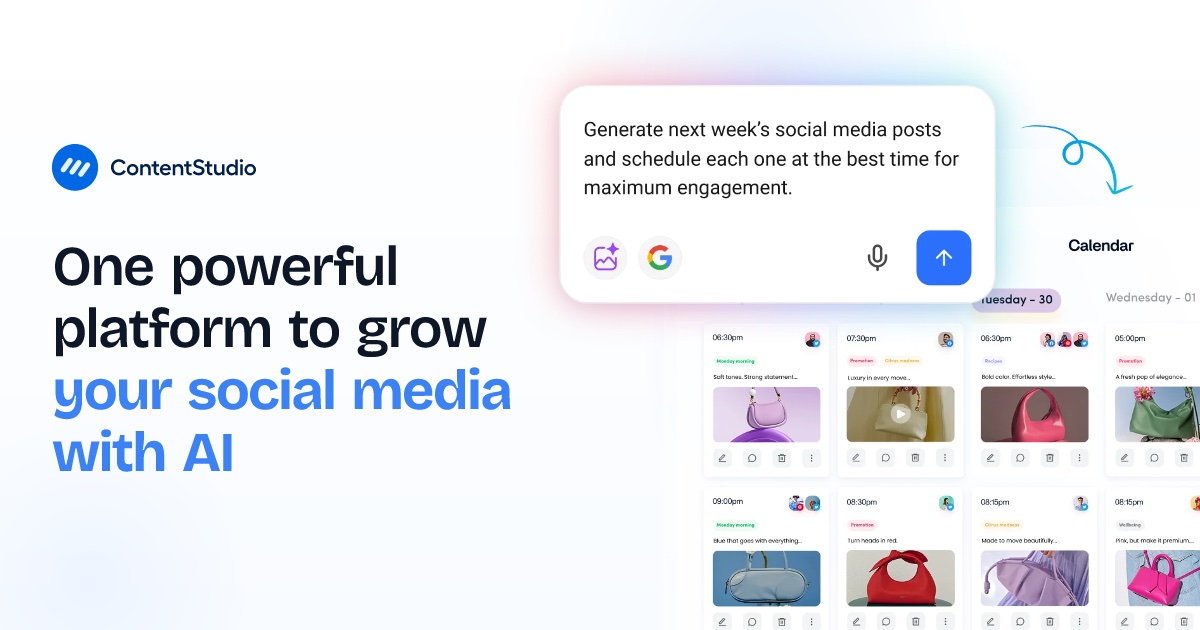
ContentStudio is a social media management platform for planning, writing, scheduling and measuring posts across all the major networks from one place. It now leads with an AI agent that learns your brand and drafts content, but the core of the product is still a calendar, an approval flow and analytics. This review covers what is included, what each plan costs, and who it suits.
What is ContentStudio?
ContentStudio is a tool for solo creators, small businesses, marketing teams and agencies who publish on several social accounts. It supports Facebook, Instagram, X (Twitter), LinkedIn, TikTok, YouTube, Pinterest, Google Business Profile, Bluesky, Threads and Telegram. The company describes it as an "AI social media manager" that knows your brand, creates on-brand content and publishes it. You can review every post before it goes live, or let it run on autopilot.
Key features
- AI Studio: AI-written captions, hashtags, images and video, with brand knowledge and voice settings so the output sounds like you.
- Content calendar: list, feed and grid views, smart scheduling, bulk scheduling by CSV and a media library.
- Approval workflow: clients and teammates can review and sign off on posts, which is the main draw for agencies.
- Analytics: per-network performance, labels and campaign reports, competitor benchmarking for Facebook and Instagram, and Meta Ads and Google Ads analytics on higher plans.
- Social inbox: one place to reply to comments and direct messages, with AI replies.
- Content discovery: RSS feeds with OPML import, plus evergreen post recycling.
- Integrations and API: Canva, Zapier, Make and n8n, plus an API and MCP integration for automation.
ContentStudio pricing
ContentStudio offers a 7-day free trial with no credit card required. The prices below are the yearly-billed monthly rates on its pricing page when we checked. Paying monthly or quarterly costs more, so confirm on the live page.
| Plan | Price per month (billed yearly) | Social accounts | Workspaces | Users |
|---|---|---|---|---|
| Standard | $19 | 5 | 1 | 1 |
| Advanced | $49 | 10 | 2 | 2 |
| Agency Unlimited | $99 | 25 | Unlimited | Unlimited |
| Enterprise | Custom | Custom | Unlimited | Unlimited |
All plans include unlimited posting. AI credits scale with the plan: Standard has 25,000 text credits, 25 image credits and 100 video credits; Advanced has 50,000, 50 and 200; Agency Unlimited has 125,000, 125 and 500.
What each plan adds
- Standard: AI Studio, content planner, basic analytics, smart scheduling, API access and MCP integration.
- Advanced: adds the social inbox, competitor analytics, campaign and label analytics, ad analytics, post recycling, bulk scheduling, RSS autoposting, team collaboration, approvals and scheduled reports.
- Agency Unlimited: adds client management, live training, priority support, guided onboarding and a dedicated account manager.
Add-ons
Extra social accounts cost $5 per month each, and extra users or workspaces cost $10 per month each. Social listening is $99 per month on Advanced and $150 per month on Agency. White-label and white-label reseller are $50 per month each on Agency. SSO (SAML) is $150 per month. A separate developer API plan starts at $15 per month.
Pros and cons
Pros
- Wide network coverage, including TikTok, Bluesky, Threads and Google Business Profile.
- Unlimited posting on every plan, with an entry price of $19 per month on yearly billing.
- Approval workflow and client management make it workable for agencies.
- AI writing, images, video and replies sit in the same tool as scheduling.
- Free 7-day trial with no card needed.
Cons
- The cheapest plan has one user and one workspace, so teams need Advanced or above.
- Inbox, competitor analytics and approvals are locked to Advanced and higher.
- AI credits are capped, so heavy image or video users may need a bigger plan.
- Social listening costs extra, and add-ons raise the total quickly for agencies.
- The best prices need yearly billing.
Who is ContentStudio for?
- Good fit: solo creators and small businesses who want scheduling, AI captions and analytics for under $20 per month.
- Good fit: agencies that need client approvals, multiple workspaces and white-label options.
- Weaker fit: large teams that need deep social listening built in, since that is a paid add-on.
- Weaker fit: anyone who only posts to one or two accounts and needs no AI or analytics.
How to get started
Start the 7-day trial, connect one or two accounts, set up your brand voice in AI Studio, and schedule a week of posts. Check whether the inbox and approval features matter to you before choosing between Standard and Advanced. If you manage client accounts, test the approval flow during the trial.
Frequently asked questions
Is ContentStudio free?
There is a 7-day free trial with no credit card required. After that, paid plans start at $19 per month billed yearly.
Which social networks does it support?
Facebook, Instagram, X, LinkedIn, TikTok, YouTube, Pinterest, Google Business Profile, Bluesky, Threads and Telegram.
Is there a limit on posts?
No. Posting is unlimited on every plan. Account, user, workspace and AI credit limits vary by plan.
Can agencies use it with clients?
Yes. Advanced adds approvals, and Agency Unlimited adds client management, unlimited workspaces and users, and optional white-label.
Does it have an API?
Yes. API access and MCP integration are included, and a separate developer API plan starts at $15 per month.
Final verdict
ContentStudio is a solid all-in-one choice for managing social media with AI help. The entry price is low, posting is unlimited, and the approval and client tools are strong for agencies. The trade-offs are that useful features such as the inbox and competitor analytics need the $49 plan, AI credits are capped, and add-ons can raise the bill. Use the free trial to confirm it covers your networks and workflow before paying.
Still deciding?
Browse the rest of our reviews, or put two tools side by side.